Setting up SQLite as cache (and why it was a bad idea)
A postmortem on using SQLite as a cache for a large DBF file viewer, and the performance and concurrency pitfalls that followed.
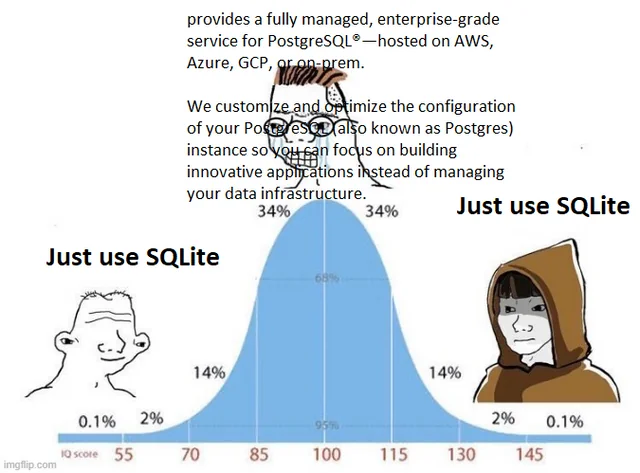
Cache is every backend developer’s wet dream. Having your variables loaded onto your RAM is very convenient indeed, but sometimes the RAM does become a bottleneck when you become over ambitious and try to cache everything. It’s like that one time you tried to memorize the entire dictionary… noble, but ultimately leading to a headache and a newfound appreciation for Ctrl+F. I, too, fell victim to the siren song of “instantaneous data access,” and decided that SQLite, the plucky little database that could, would be my caching savior. Spoiler alert: it wasn’t all sunshine and rainbows. In fact, it was more like a partly cloudy day with a high chance of being obliterated by a lightning strike any second. This note chronicles my journey into the heart of caching darkness, armed with nothing but good intentions, questionable assumptions, and a database engine that’s probably still judging me.
The Beginning of the End
It all starts with non-technical stakeholders (it always does). Our accounting team, who are well versed in excel, wanted to open a .dbf file that comes from a vender.
A .dbf file is a database file, commonly associated with the dBASE database management system. It’s a file format that stores structured data in a table format, with rows and columns, similar to a spreadsheet or a database table.
- Gemini 2.0 Pro exp
Under normal circumstance, our good old reliable MS Excel can open the damned .dbf file. But then again, every good thing has a ‘but’ attached to it. The ‘but’ in MS Excel’s case is the memory and computation required to open big files. Oh, and how can I forget, Excel cannot handle files with more than 1,048,576 rows 1, making it near impossible to work with big data on Excel (who would have known that Excel is not a database /s).
So my manager aptly suggested we use a database connector to MS Access and we could pull the relevant data on MS Excel when needed. But as fate dictates, the stakeholder wanted to load the entire file with all rows in memory for aggregation to see all of it at once in one place. that we can build a tool like MS Excel (at least for viewing and applying filters on the data). Hmmm, so a server side rendered .dbf file viewer for files with more than 1 million to 2.5 million rows, spanning a staggering 120 columns, and most of them are strings. I was assigned the task and was relieved when they gave me a week’s time to develop the PoC. Definitely nothing can go wrong with it, or so I thought.
The Project (In Brief, Hopefully.)
I’ll dive straight to the data aspect of the project and save the nuances for another post. This was the tech stack I used to deploy the endpoint -
- FastAPI for backend
- Nginx for reverse proxy
- HTMX for frontend
Reasons to Cache -
- Improve loading time of files rather than reading it everytime.
- Storing the files uploaded on disk and loading the current file onto the cache.
- Eliminate reuploading of files as it takes the most time in the process.
One of the features the stakeholders wanted was fast load times (ie the .dbf file should be uploaded and almost instantly be rendered on the webpage displaying the table). The issue with that would be loading the file onto a pandas dataframe each time the data is uploaded would take a lot of time. To overcome that, one could just use a global variable that would be loaded once per session and then copies could be made in each function so that the dataframe loaded as global variable would be untouched.
##### rest of the code here ########
# yeah I like type hinting the obvious, bite me
currently_loaded_dataframe: pd.DataFrame = None
filtered_dataframe: pd.DataFrame = None

@app.get('/apply_filter_on_table')
async def post_endpoint(req: Request):
	global currently_loaded_dataframe, filtered_dataframe
	req_as_dict: dict = await req.json()
	copy_df: pd.DataFrame()  = currently_loaded_dataframe.copy()
	####### filter operations on copy_df based on req params #######
	filtered_df = copy_df
	# defining api response here
	return response
This seemed a perfect enough implementation for one user on one browser at a time. Good enough for POC as we don’t want to do premature optimizations and over engineer it. If I wanted to scale it up I would use a FIFO Ordered Dictionary with fixed number of keys. Just spitting some code from top of my head like it’s an Eminem verse in 8 Mile, it would look something like -
from collections import OrderedDict

class CustomFifoCache(OrderedDict):
    def __init__(self, capacity):
        super().__init__()
        self._capacity = capacity

    def __setitem__(self, key, value):
        super().__setitem__(key, value)
        if len(self) > self._capacity:
            self.popitem(last=False)  # yeet the oldest item (FIFO)

loaded_dataframe_dict: CustomFifoCache = CustomFifoCache(capacity=3)

@app.post('/upload_file')
async def upload_large_file(file_id: str = Form(...),
							file: UploadFile = File(None)):
	global loaded_dataframe_dict
    destination = os.path.join(BASE_FILES_DIR, file_id + '.dbf')
    async with aiofiles.open(destination, "wb") as out_file:
        while content := await file.read(1024 * 1024):  # Read in 1MB chunks.
            await out_file.write(content)
	try:
		df = await load_dbf_to_dataframe(destination)
		loaded_dataframe_dict[file_id] = df
	except Exception as e:
		print("error while loading dbf to df: ", e)

    url = f"/dashboard?file_id={file_id}"
    response = RedirectResponse(url=url, status_code=302)
    response.headers["HX-Redirect"] = url

    return response
Ah yes, that should do, right? RIGHT?
Gunicorn - The Winged Horse of Asynchronous Agony
Wrong. I forgot the very fact that the backend is managed by Gunicorn.

Gunicorn ‘Green Unicorn’ is a Python WSGI HTTP Server for UNIX. It’s a pre-fork worker model. The Gunicorn server is broadly compatible with various web frameworks, simply implemented, light on server resources, and fairly speedy.
Gunicorn spun up the default count of 25 (ie 2 * $num_cores+1) uvicorn workers to do its bidding. That means each request is getting routed to one of those 25 uvicorn workers based on request traffic, while they all have their own version of the global variable loaded. The file I was uploading was getting updated only in the uvicorn worker to which the request was routed and not propagated to the other workers.

My approach was wrong all along. Off to the whiteboard again.
Whiteboard Jorking Mini Session
Our data is relational, so relational database would reduce complexity in storing the data. This was one of the reason I didn’t go with Redis, the latency of network calls would be minimal but it would come with an added complexity of unpacking the json.
{
	"1": {"col1":'val1', "col2": 'val2', ...},
	"2": {"col1":'val1', "col2": 'val2', ...},
}
No way I am storing a relational database in Redis in row-wise fashion.
How about MySQL or Postgres? Retrieving multiple records from MySQL/Postgres would be slow if done through batching the offsets or it’ll hog the memory if retrieved all at once. The database won’t be accessed by anyone except the application on this particular VM, hence a database server was ruled out for performance issue. You see where this conversation is leading to, don’t you? A local version of the database, definitely not CSV as parsing it would be inefficient and won’t be thread safe.
SQLite - A Batman or Bane?
SQLite prides itself on being faster than a filesystem by a factor of 35%, which means it should be blazing fast. But wait, what about the space-time trade-off in data storage (or any algorithm in the world). We saved some time so there must be a space tradeoff somewhere which we cannot afford, the runtime by itself is consuming RAM like there is no tomorrow. But ignorance is bliss as it seemed too perfect to be true and the self imposed time crunch weighed on me.

I decided to keep two separate tables as cache, one of the current state and one with the filters applied, which would substitute the global variables currently_loaded_dataframe and filtered_dataframe. Below is a pseudocode block to explain my though process better.
FUNCTION connect_to_database(database_path)
FUNCTION read_record(connection, id)
FUNCTION read_all_records(connection)
FUNCTION update_record(connection, id, new_name, new_value)
FUNCTION delete_record(connection, id)
FUNCTION close_connection(connection)

# --- Adapted /upload_file Endpoint (No Global Cache) ---
FUNCTION upload_large_file(file_id, file):
    # Input: file_id (string), file (UploadedFile object - details abstracted)
    # Output:  Redirect response (details abstracted)

    destination = BASE_FILES_DIR + "/" + file_id + ".dbf"

    # --- File Saving ---
    OPEN destination IN binary write mode AS out_file:
        WHILE chunk = file.read(1024 * 1024):  # Read in 1MB chunks
            out_file.write(chunk)
    CLOSE out_file

    # --- Database Interaction (Create Entry) ---
    connection = connect_to_database("my_database.db")
    IF connection IS None:
        RETURN "Error: Database connection failed"

    current_timestamp = GET_CURRENT_TIMESTAMP()
    success = create_record(connection, file_id, destination, current_timestamp)
    close_connection(connection) # Close connection immediately after use

    IF NOT success:
        RETURN "Error creating record in database"

    # --- Redirect (Data Loading Happens Later, e.g., in /dashboard) ---
    url = "/dashboard?file_id=" + file_id
    response = create_redirect_response(url, 302)
    response.headers["HX-Redirect"] = url
    RETURN response

# --- Example:  Function to get data for dashboard (called when /dashboard is accessed) ---
FUNCTION get_dashboard_data(file_id):
    # Input: file_id (string)
    # Output: DataFrame (or equivalent data structure), or None if not found

    connection = connect_to_database("my_database.db")
    IF connection IS None:
        RETURN None  # Or raise an exception

    record = read_record(connection, file_id)
    IF record IS None:
        close_connection(connection)
        RETURN None  # File metadata not found

    file_path = record['file_path']

    # --- Load Data from File ---
    TRY:
        df = load_dbf_to_dataframe(file_path)
    EXCEPT:
        PRINT "Error loading DBF into DataFrame"
        close_connection(connection)
        RETURN None

    close_connection(connection)
    RETURN df

FUNCTION GET_CURRENT_TIMESTAMP():
  #Returns current timestamp
  RETURN current timestamp

FUNCTION load_dbf_to_dataframe(file_path):
    #Loads dbf to dataframe
    #Returns dataframe
    RETURN dataframe
SQLite is so blazing fast that it loaded on a .dbf file with 1.5 million rows and 23 columns in 10 seconds, the reads were instantaneous. The perfect caching system. But it all fell apart the next day.
Major Issues with using SQLite as Cache
A good SQLite database architecture makes use of indices for speed in querying. If the filter is applied on a particular column that is not indexed, the entire table is loaded onto the memory rather than using an offset [1]. This means anytime the filter is not on the columns I intend the users to query on, then the ETA converts from “3 minutes” to “1000 hours” like I am downloading a badly seeded file using P2P torrent.
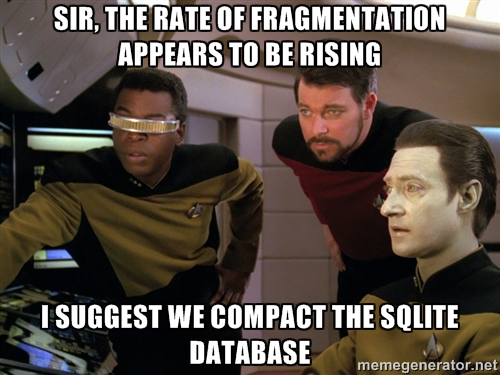 But that’s just the tip of the iceberg, my friend. Let’s delve into the real reasons why SQLite as a cache turned my coding utopia into a debugging dystopia:
-
The Indexing Illusion: I, in my infinite wisdom, assumed that indexing a few key columns would be enough. “Surely,” I thought, “the users will only filter by these columns.” Narrator: they did not. Turns out, accountants have a knack for finding the one unindexed column that holds the key to their arcane financial rituals. Each unindexed filter query became a full table scan, turning my “blazing fast” cache into a digital molasses swamp. It was like inviting Usain Bolt to a race and then making him run through quicksand.
-
Memory Hogging (Again): Remember how I was trying to avoid loading everything into RAM? Well, SQLite, bless its little cotton socks, decided to helpfully load entire tables into memory during those unindexed queries. My server started sweating more than I do during a production deployment. The very problem I was trying to solve with a cache was now caused by the cache. The irony was thicker than my morning coffee after a night of debugging.
-
Concurrency Conundrums: SQLite is surprisingly good with concurrent reads. But throw in a few writes (like, you know, updating the cache), and things get dicey. Locking mechanisms, while necessary, added overhead. I started seeing occasional timeouts and errors, as multiple users tried to update or access the cache simultaneously. It was like a polite, but very firm, British queue forming at the database, with each request patiently (or impatiently) waiting its turn.
-
The “It’s a Feature, Not a Bug” Fallacy: I initially thought, “Hey, at least the data is persisted! If the server crashes, I won’t lose the cache!” This is true, but it also misses the point. A cache is supposed to be ephemeral. If it’s gone, it’s gone. You rebuild it. The persistence of SQLite gave me a false sense of security, and made me less inclined to implement proper cache invalidation and rebuilding strategies. I had created a persistent cache that was slower than a non-persistent, properly managed one. Brilliant.
-
Overhead of SQL operations: Even with the indices, there is an overhead of converting the dataframe to SQL operations. It might be negligible for smaller datasets, but for millions of rows, it adds up.
In short, my SQLite caching adventure was a masterclass in unintended consequences. I had taken a tool designed for persistent, structured data storage and tried to force it into the role of a fast, ephemeral cache. It was like using a hammer to screw in a lightbulb – technically possible, but ultimately messy and likely to end in shattered glass.
Conclusion
Maybe a “perfect caching system” was all the friends we made along the way.
- apoplexi24
Even though the process was harrowing, I managed to make it work.

Yes, even though my code was an abomination of tech to make it fast, especially bending the limits of python as I was forced to write the entire thing in python rather than Golang or Rust for team interoperability (we all know it’s a scam, the person who writes it ends up managing it), it worked. Let me reiterate it.
Ugly Working Software >>> Fancy Software that doesn’t work
The management was pleased by this maneuver. I had reduced a poor person’s daily work of 6 hours of splitting the file for operations on it on a slow windows server. Everyone’s happy, except the FastAPI service running on the VM with the mammoth responsibility of handling huge data.
Ultimately there’s nothing wrong in using a file, global variable, Redis or SQLite as cache, it all depends on the use case, hardware restrictions, application architecture and most importantly, the mental sanity of the developer. A developer should ideally choose the most simplest approach and if it works, it works. Optimize only when necessary or else you will never finish the project, ever.
Sources -
- Erz, Hendrik (2021). “Why You Shouldn’t Use SQLite”. hendrik-erz.de, 16 Sep 2021, https://www.hendrik-erz.de/post/why-you-shouldnt-use-sqlite .
- MS Excel Specifications and Limits, official docs - https://support.microsoft.com/en-us/office/excel-specifications-and-limits-1672b34d-7043-467e-8e27-269d656771c3
- Gunicorn architecture design, official docs - https://docs.gunicorn.org/en/latest/design.html
- Async Functions Behaviour in FastAPI - https://fastapi.tiangolo.com/async/
- SQLite faster than FS - https://www.sqlite.org/fasterthanfs.html
- App File Format of SQLite - https://www.sqlite.org/appfileformat.html